


This article contains affiliate links. We may earn a commission if you buy through them.
The lights blink out, your refrigerator warms, and the router goes silent. You could plug a few essentials into a portable station such as an EcoFlow DELTA Gen4, or keep major circuits running with an installed system. The right choice depends on what you need to power—and for how long—without overspending or coming up short.
Decide what you need to power—and for how long
Start with loads and runtime. List the devices you truly need during an outage—typically a refrigerator, Wi‑Fi, a few lights, and device charging—then estimate how long you want them to run. That simple inventory drives every decision that follows.
Across one brand, the spectrum of options is clear. EcoFlow offers portable power stations in the DELTA series (including the new DELTA Gen4 models), larger expandable portable systems like DELTA Pro, and installed whole‑home platforms such as DELTA Pro Ultra X. As you move up this ladder, capacity, output power, and integration increase—along with weight, complexity, and installation requirements.
If your goal is to keep essentials going during brief outages, a single portable unit may fit. If you want automatic backup for high‑demand appliances or many circuits, you’re in whole‑home territory and should consider an installed system. Framing the scope early prevents buying a unit that’s either too small to be useful or larger than you’ll use.
Portable station vs whole‑home system: the real choice
A portable station sits near the devices you plan to power. You plug essentials into its built‑in AC and DC ports. Many households appreciate this simplicity: there’s no panel work, and UPS functionality with transfer times under 10 milliseconds can keep sensitive electronics running when the grid blips. Portable for essentials.
A whole‑home system is different. It’s installed with a smart panel or gateway and designed to cover major loads across many circuits. EcoFlow’s installed platform, DELTA Pro Ultra X, is described as delivering 12–36kW output and 12–180kWh capacity with auto switchover under 20 ms when paired with Smart Home Panel 3. That’s the scale you’d consider for whole‑home backup with minimal manual action. Whole‑home for major loads.
What you trade: portable units are faster to deploy and easier to move, but they won’t run an entire home and you’ll manage loads manually. Installed systems increase coverage and automation, but they add installation, space, and larger upfront cost.
If you’re leaning portable, visit EcoFlow to see the current lineup and look for DELTA 3000 Gen4 and DELTA 3800 Gen4 under the DELTA Gen4 series. If you suspect you’ll need panel‑level coverage, you can also explore installed options there and learn how the installation process works.
EcoFlow DELTA Gen4: 3000 vs 3800 in practice
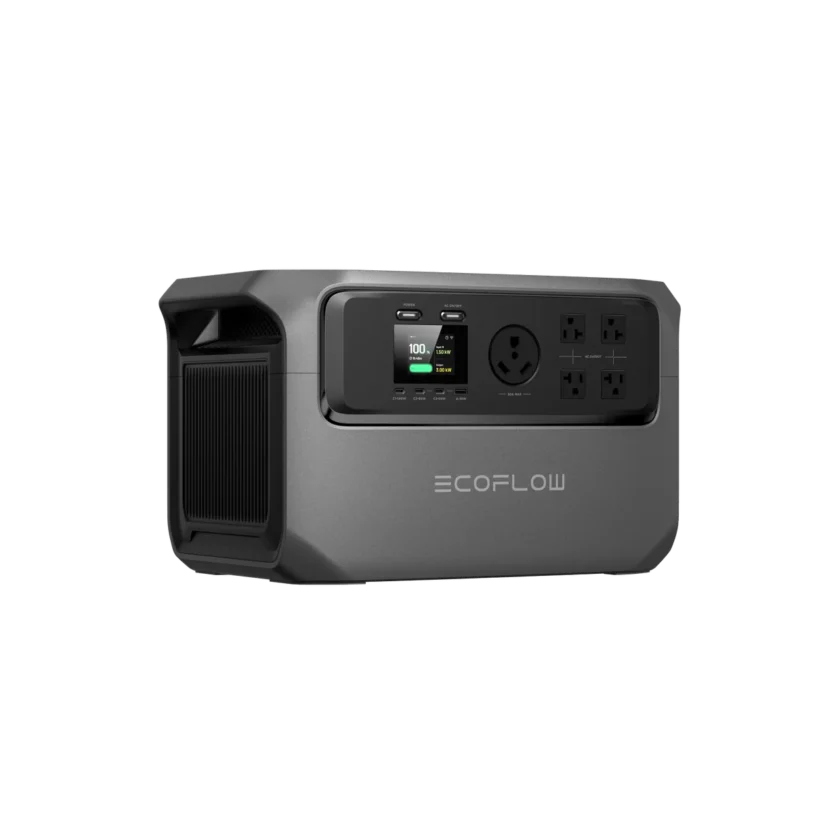
The DELTA Gen4 family targets essential household backup without installation. Two models matter for most homes: DELTA 3000 Gen4 and DELTA 3800 Gen4. Both deliver a 3600W continuous AC output with up to 7200W surge and UPS transfer under 10 ms, but they differ in capacity, solar input, and expandability.
Fixed 3kWh, no expansion. DELTA 3000 Gen4 has a 3,072Wh battery and supports up to 1000W solar input. It’s designed as a single‑unit solution with no extra battery expansion. If you plan to power a refrigerator, router, a few lights, and device charging, that fixed capacity keeps the decision simple and the system lighter. EcoFlow also lists a 3‑year standard warranty plus a 2‑year extension via its app for DELTA Gen4 units.
Expands up to 12kWh. DELTA 3800 Gen4 increases the built‑in capacity to 3,763Wh and supports up to 2000W solar input. Crucially, it can expand from roughly 4kWh to 12kWh using compatible extra batteries, so you can start modestly and add runtime later. The tradeoff is extra weight, more to manage, and a higher entry price than the fixed‑capacity model.
Ports and outputs are similar across both units: five 120V AC outlets (with one 30A), multiple USB‑A and USB‑C ports including up to 140W USB‑C, and a 12V DC outlet via adapter. Appliance support still depends on each device’s rated and startup power and whether you run several at once.
After you compare the specs in context, decide what problem you’re solving. If you want the smallest, simplest setup that covers typical essentials for several hours, the 3000 can be enough. If you prefer a path to longer outages with solar replenishment and extra batteries, the 3800’s expandability offers room to grow. To explore both options, head to EcoFlow and look for DELTA 3000 Gen4 and DELTA 3800 Gen4 within the DELTA Gen4 series.
A worked example: sizing for essential household loads
This quick method estimates whether a single DELTA Gen4 covers your essentials and when to scale up. EcoFlow cites refrigerator runtimes up to 58 hours (DELTA 3000 Gen4) and up to 70 hours (DELTA 3800 Gen4) under specified conditions, with actual runtime varying by model and usage. Use those as directional benchmarks, not promises.
Estimate your continuous load
- List essentials you’ll run together. A typical set might be a refrigerator, Wi‑Fi router, two LED light strings, and phone/laptop charging. Check each device’s label or manual for watts; if you don’t have exact numbers, use conservative estimates.
- Add them up for a continuous load figure. For example, a refrigerator that averages 120–200W over time, a 10W router, and two 9W LED lamps total roughly 150–230W before charging devices.
- Match continuous load to output. Both DELTA Gen4 models deliver 3600W continuous AC, well above an essentials bundle, leaving headroom for occasional extras like a fan. Avoid running high‑draw space heaters or multiple large appliances on a single portable unit.
Allow for startup surges
Compressor devices like refrigerators and sump pumps draw a brief surge at startup. DELTA Gen4 units list up to 7200W surge capacity, which is ample for most household compressors. Try not to start several compressors simultaneously; if you must, start the largest first, then add others after it’s running.
UPS switchover under 10 ms helps keep electronics like routers and PCs from dropping during short interruptions. For loads that truly cannot tolerate interruption or relate to medical care, consult a qualified professional and note that consumer UPS behavior has design limits.
Pick capacity and expansion
Use capacity as your runtime lever:
– If your essentials total around 200W on average, a 3,072Wh DELTA 3000 Gen4 offers a simple fixed configuration.
– If the same bundle needs longer coverage, the 3,763Wh DELTA 3800 Gen4 gives a bit more runtime and lets you add extra batteries later to reach 4–12kWh.
Runtime varies by usage. Real‑world outcomes depend on appliance duty cycles, ambient temperature, door openings, and what else you plug in. For longer outages, consider adding solar input—up to 1000W on the 3000 and up to 2000W on the 3800—or stepping up to a larger platform.
When your list includes bigger loads—well pumps, window AC, or workshop tools—plan for their running and startup watts. If one portable unit can’t cover them safely together, either re‑sequence loads manually, add expansion batteries (3800 only), or move to DELTA Pro for more capacity and integration options.

When to choose EcoFlow DELTA Pro instead
Consider DELTA Pro when you want portable or semi‑portable backup with significantly more capacity and integration potential than a single Gen4. DELTA Pro starts at 3.6kWh per unit and can expand up to 25kWh with extra batteries and dual‑unit setups. It still delivers 3600W AC output, and two units can be paired for up to 7200W.
Charging flexibility extends beyond wall and solar. EcoFlow markets DELTA Pro’s ability to recharge at compatible EV stations, and you can integrate with home circuits through accessories. For example, connecting to Smart Home Panel 2 requires a Double Voltage Hub, and pairing two DELTA Pro units for higher output also uses this accessory.
Expand to 7.2–25kWh sums up the appeal: you can scale runtime as needs grow. The tradeoff is weight, cost, and system complexity compared with a single DELTA Gen4. If that scale matches your outage plan, visit EcoFlow and look for the DELTA Pro section to review accessories and expansion paths.
More complexity than a Gen4 unit also means more to confirm: which cables and hubs you’ll need, how you’ll connect to circuits, and where the extra batteries will sit. Map those details before you buy.
What EcoFlow DELTA Pro Ultra X offers for whole‑home backup
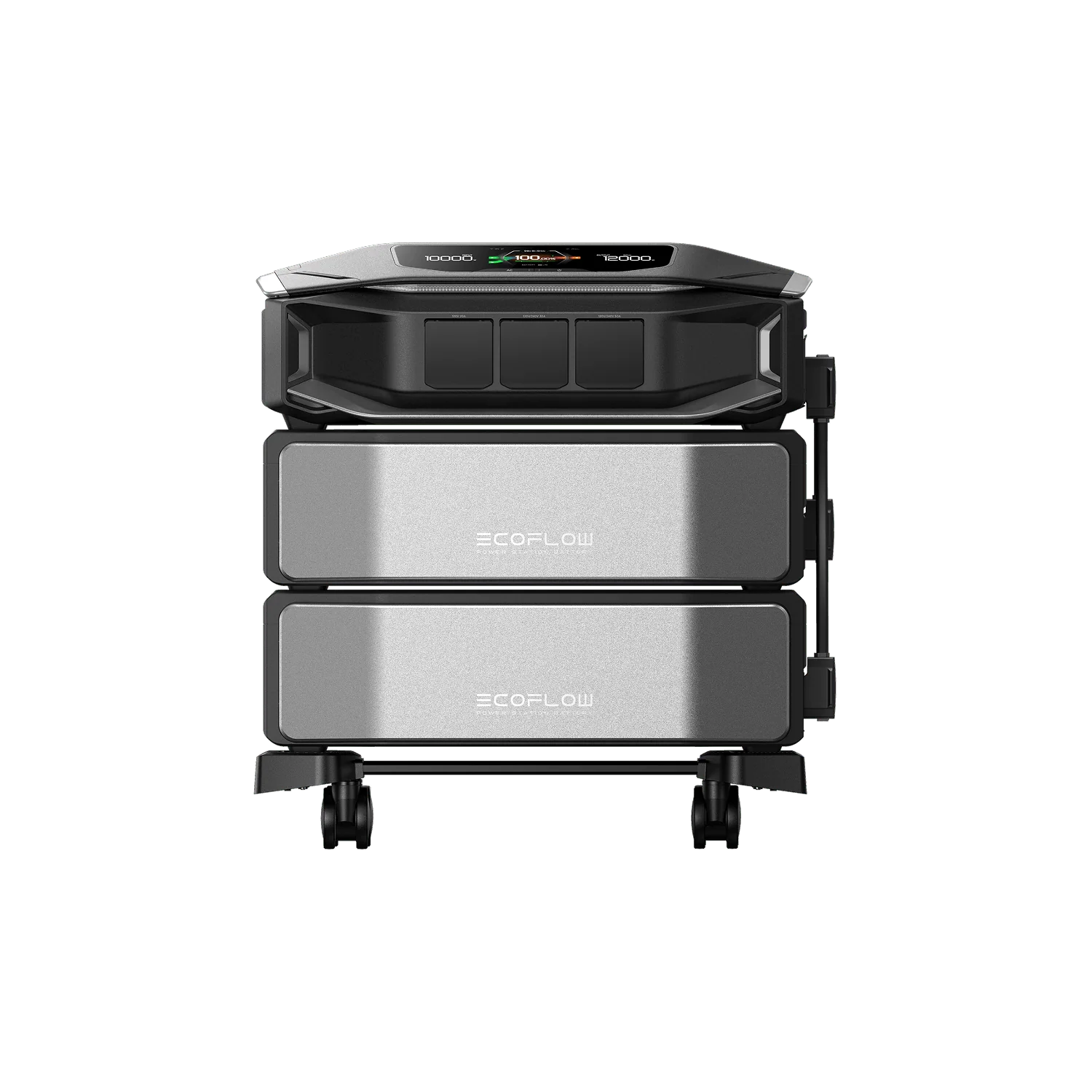
When you need a panel‑level, installed solution for many circuits and high‑demand appliances, DELTA Pro Ultra X represents EcoFlow’s whole‑home path. The platform is described as delivering 12kW AC output per inverter—and scaling to 36kW with three—paired with 12kWh standard capacity that expands up to 180kWh with plug‑in batteries. With Smart Home Panel 3, it switches in under 20 ms for seamless backup.
12kW standard, scalable higher gives you a sense of the starting point and headroom. The system supports high‑voltage solar input up to 10kW across two ports, and EcoFlow highlights a streamlined installation flow, with promotional material describing installation in 7 days from permit issuance. It’s built as a stand‑alone unit that does not export to the grid.
No grid export means this is not a net‑metered solar‑plus‑storage system; it draws from the grid and backs up your home when the grid fails. If this is the level of automation and coverage you need, visit EcoFlow to learn how the assessment and installation steps work for your location.
Charging options, UPS roles, and safety features
Charging methods vary by model and accessories. DELTA 3000 Gen4 supports four charging methods; DELTA 3800 Gen4 supports six. Availability depends on accessories and conditions, and some methods require hardware sold separately. Pairing with solar input can extend runtime during sunny periods, especially on the 3800 with its higher PV ceiling.
Both DELTA Gen4 models advertise UPS behavior with transfer under 10 ms, helpful for routers and PCs. However, EcoFlow specifies that consumer UPS performance does not target professional 0 ms applications and is not intended as the sole backup for life‑support equipment. The app adds automation features like Storm Guard Mode 2.0, which uses U.S. National Weather Service data to prepare and recharge before severe weather. EcoFlow also describes BMS safeguards and UL 9540A testing references at the pack level.
Some methods need accessories and Not for life‑support devices are practical boundaries to keep in mind as you plan.
Buying in the U.S.: shipping, returns, and warranty
On EcoFlow’s U.S. site, expedited shipping is offered for eligible addresses, with free shipping excluding Alaska, Hawaii, Puerto Rico, and other U.S. territories. One‑ or two‑day delivery is listed as an estimate for certain regions, and EcoFlow emphasizes that delivery dates are estimates, not promises—they can vary with inventory, carrier capacity, weather, and other factors.
Returns are described as available up to 30 days after receipt, and warranties apply by product line: DELTA Gen4 units include a 3‑year standard warranty plus a 2‑year extension via app registration, while DELTA Pro Ultra X materials list a 5‑year warranty. Campaign pages also outline price‑match terms for eligible purchases on EcoFlow’s site during specified promotions.
Delivery windows are estimates, so plan your purchase with a buffer before storm season. And remember the small—but valuable—step of app registration to activate the Extended warranty via app registration on DELTA Gen4 models.
Next practical step: decide which outlet plan you’ll use on day one. If you’re starting with a portable station, pick a location that ventilates well and keeps cords tidy. If you’re moving to an installed system, gather a short list of must‑run circuits and photos of your panel for the installer’s assessment—and visit EcoFlow to begin that process.